This article explains what to do when an existing active Release needs to be revoked
Important Notes:
- Please read through all important information before continuing with this article
- Please make sure to follow all steps as written below. If there is any issues with this article please report them to the IT Department immediately for corrections and additions.
Instructions:
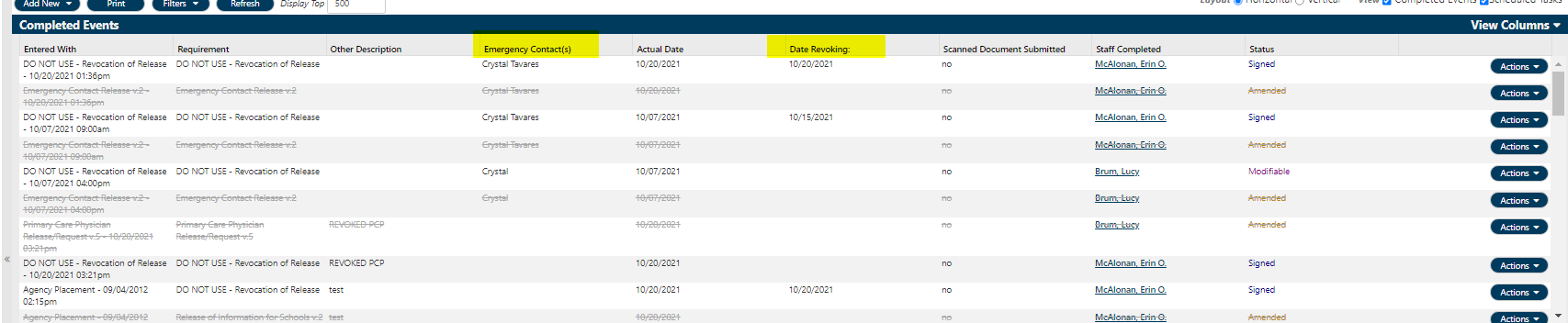
- Amend the active release on file (**NOTE: if you are amending a release that you did not originally create, you MUST change the staff responsible name to your own
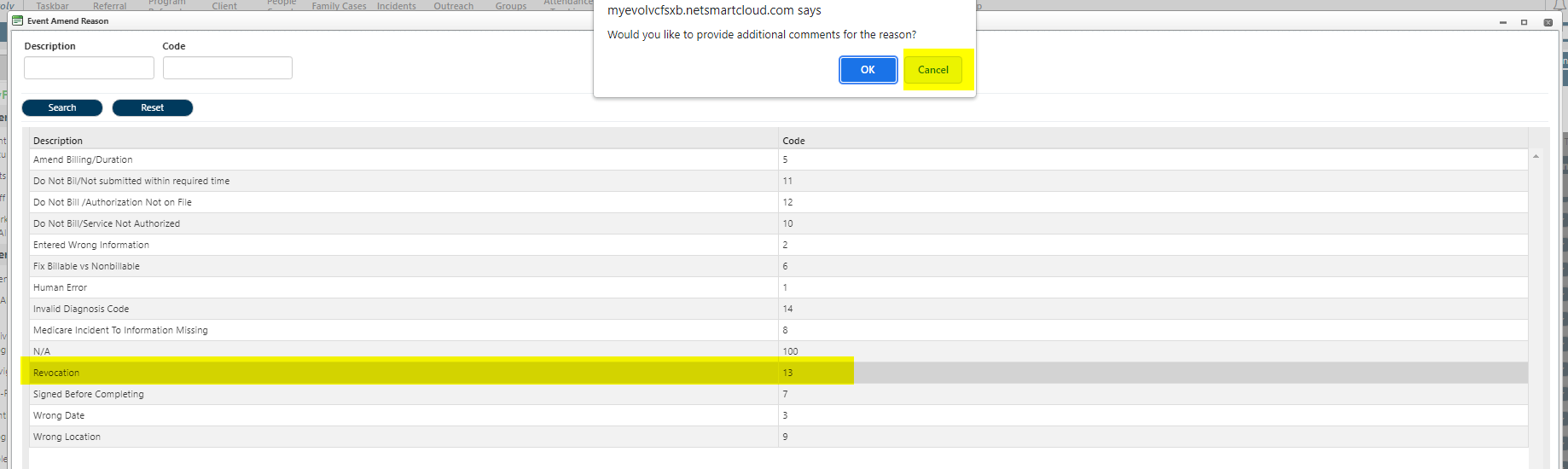
- Fill in Reason for amending (revocation)
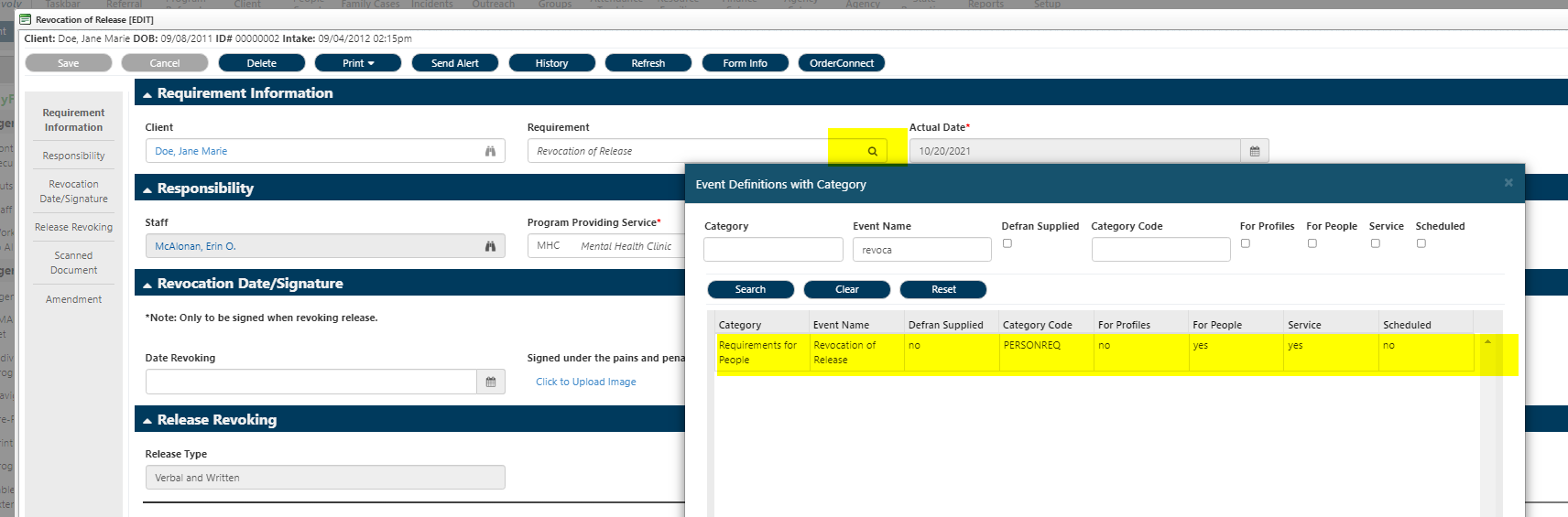
- When the form pops up change the "requirements" and pick the event name (revocation of release)
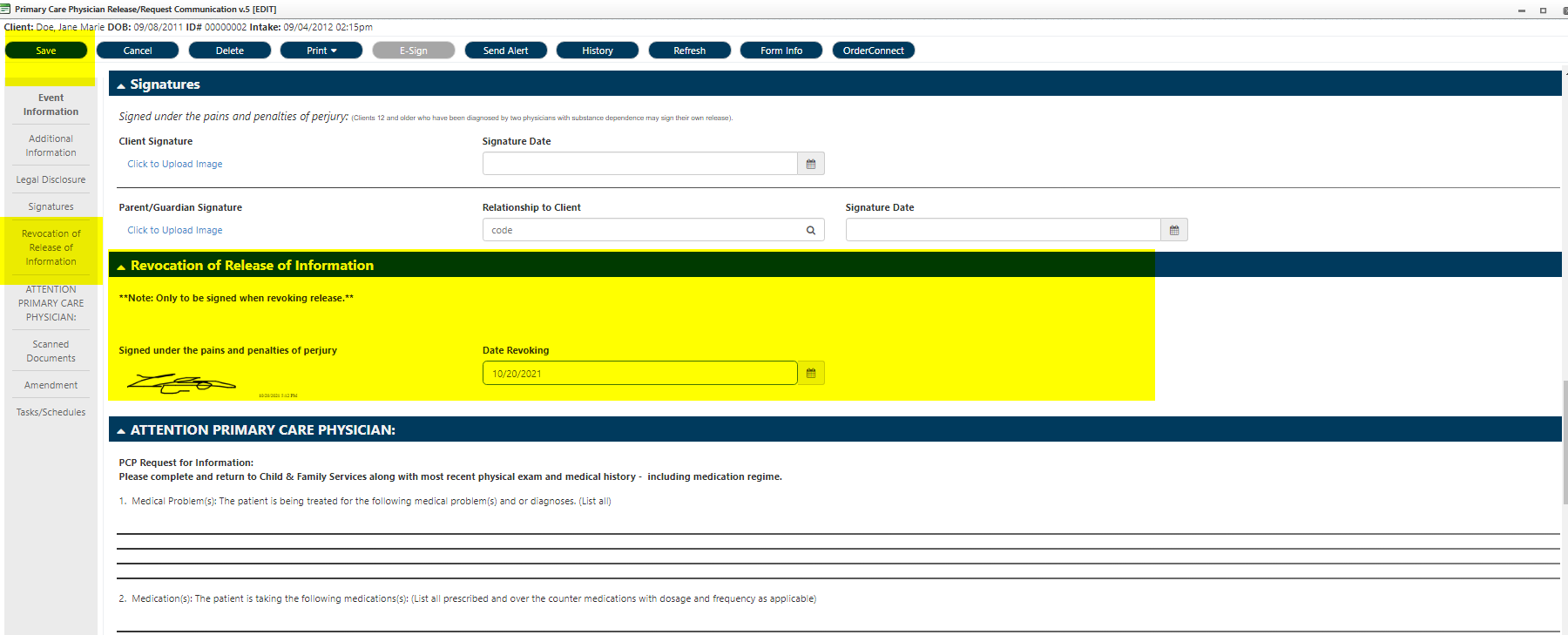
- Scroll to the Revocation of Release of Information section
- Capture client signature and date the revocation
- SAVE
- E-sign
- E-sign can only be done in
- Client > Client Information > Personal Information > Releases/Requests
- E-sign can only be done in
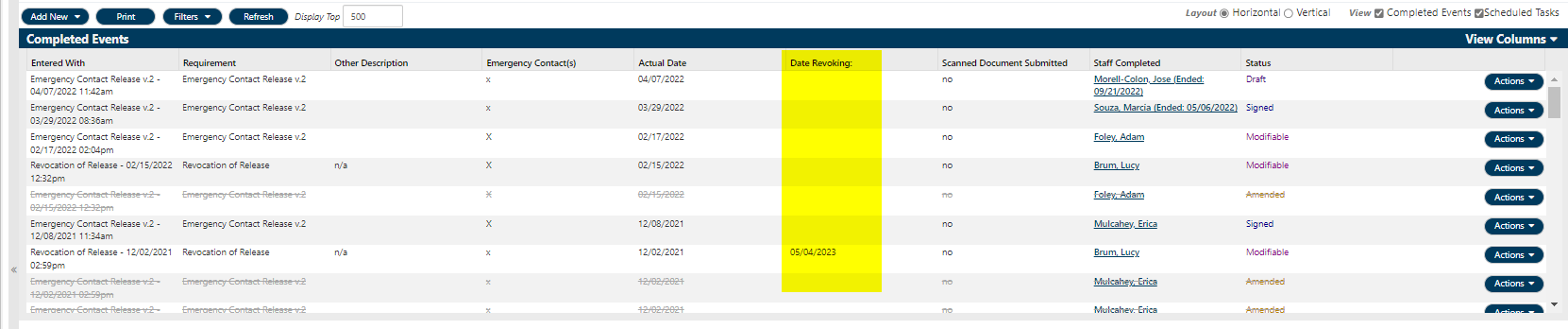
- Verify that the "date revoked" column has now been added "Client > Client Information > Personal Information > Releases/Requests" section of EVOLV.
Was this article helpful?
That’s Great!
Thank you for your feedback
Sorry! We couldn't be helpful
Thank you for your feedback
Feedback sent
We appreciate your effort and will try to fix the article